
GitHub Repository
Get TabPFN Prediction Skill here
Prerequisites
Before installing the skill, make sure you have:- A Prior Labs account — sign up at ux.priorlabs.ai if you don’t have one
- TabPFN MCP server configured in your Claude client — follow the MCP setup guide
- Claude Code installed or Claude Desktop on a Pro, Max, Team, or Enterprise plan
How it works
When you ask Claude to predict outcomes on tabular data, the skill activates and guides Claude through a structured workflow:- Confirms details with you — target column, task type (classification or regression), and train/test split. Claude won’t guess these.
- Validates your data — catches issues that would cause errors (missing targets, column mismatches, duplicate column names) while leaving things TabPFN handles natively alone (missing feature values, mixed types, unnormalized numerics).
- Calls the right MCP tools —
fit_and_predictfor inline tables pasted into chat,upload_datasetfollowed byfit_and_predict_from_datasetfor CSV files, orpredictto reuse a previously fitted model on new data. - Returns results — predictions, class probabilities, or regression estimates, formatted for your context.
/predicting-with-tabpfn.
Install the skill
- Claude Desktop
- Claude Code
-
Download the
SKILL.mdfile from the repository. - Open the sidebar and click Customize.
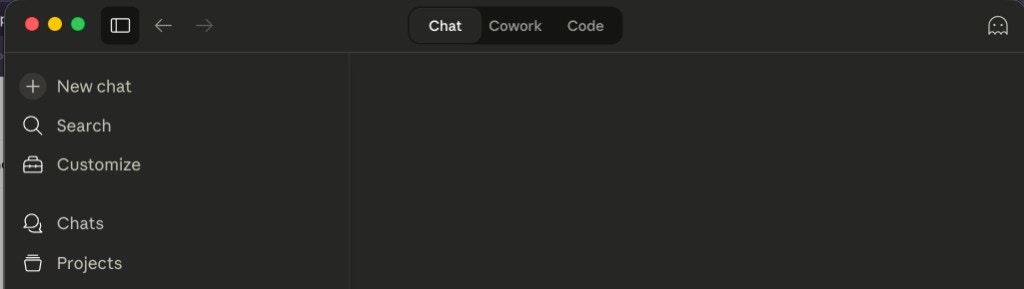
- Click Skills in the left panel.
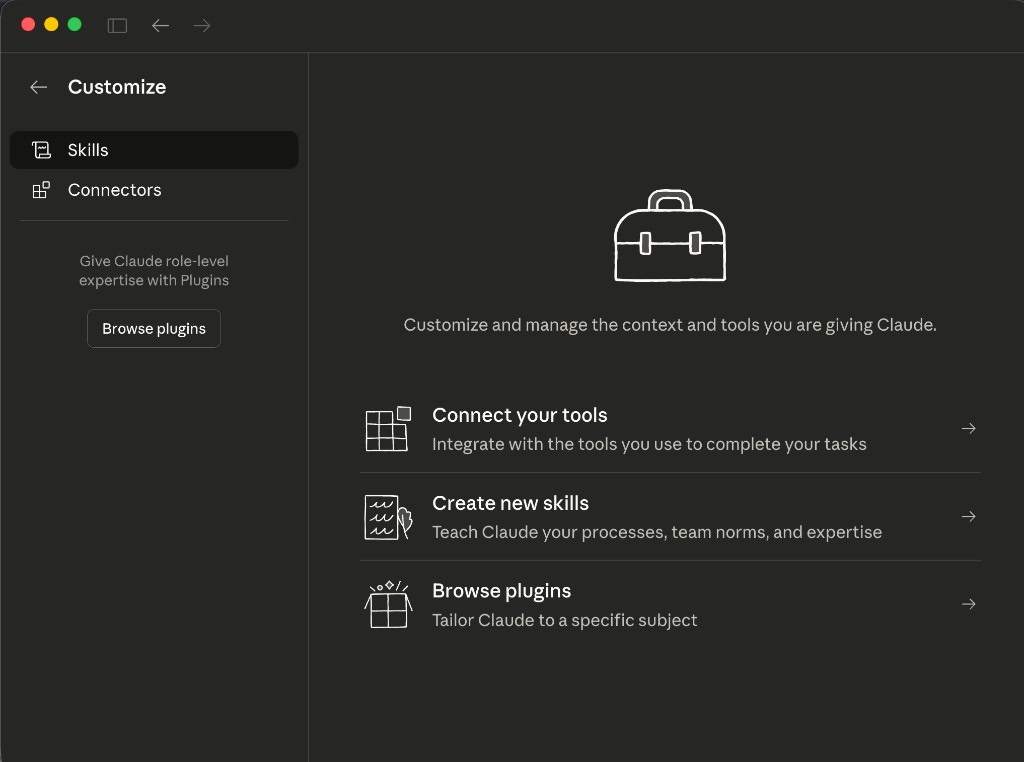
- Click the + button at the top of the skills list.
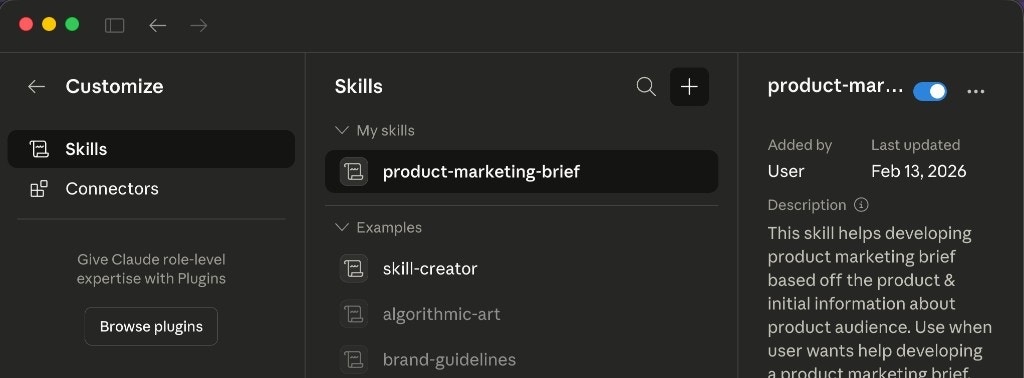
- Select Upload skill from the dropdown.
-
Select the
SKILL.mdfile you downloaded in step 1.
Allow network access
The TabPFN MCP server runs remotely atapi.priorlabs.ai. When Claude calls TabPFN tools, it needs permission to make outbound network requests to this domain.
- Claude Desktop
- Claude Code
When Claude Desktop runs code in its local coding environment, network access is restricted by default. To allow connections to the TabPFN API:
- Open Settings in the sidebar
- Enable Code execution if you haven’t already
- Under Network egress, toggle Allow network egress on
- Add
api.priorlabs.aito the allowed domains list
On Team and Enterprise plans, an admin may need to configure the network allowlist. Domains like
github.com and pypi.org are allowed by default, but api.priorlabs.ai must be added explicitly.Make your first prediction
Once the MCP server is configured and the skill is installed, start a conversation with Claude and try one of the examples below.Inline data
Paste a small table directly into chat:- Identify
outcomeas the target column - Confirm this is a classification task
- Use rows with filled targets as training data, empty rows as test data
- Call the TabPFN MCP tools and return predictions for the missing rows